
POS Systems for Convenience, Grocery and Liquor Stores
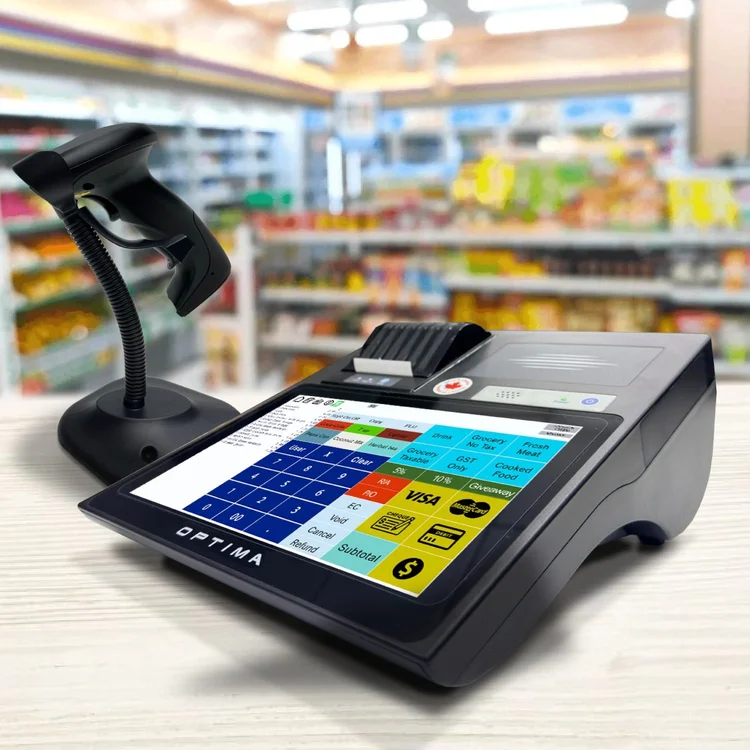
All-in-one terminals with barcode scanning, scale support and GoPOS already installed. You buy the hardware once — no monthly software fee, updates included for the life of the terminal, and the till keeps working when the internet drops.

Three terminals, sized to your store
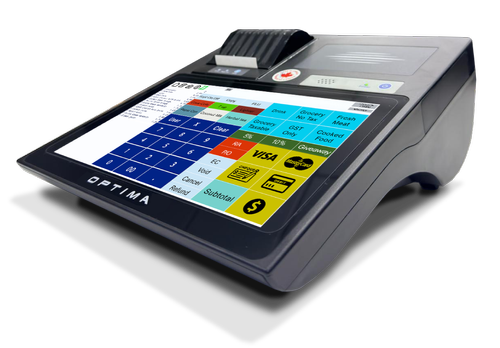
APOS-04 Single Till Convenience Stores
10-inch touchscreen, 58mm receipt printer with auto cutter, customer display, and an internal battery that keeps the terminal running through a power cut.

APOS-05 Busy Stores & Small Supermarkets
15.6-inch full HD touchscreen with a 10.1-inch customer display and an 80mm printer with auto cutter. Modular build, so the display or mainboard can be replaced on site instead of shipping the unit away.
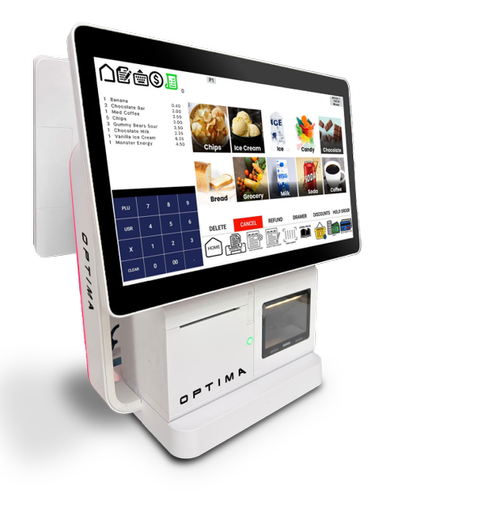
APOS-06 High Volume Grocery & Supermarkets
15.6-inch touchscreen and a matching 15.6-inch customer display, plus a programmable LED Status Ring showing transaction state at a glance. Runs Android 14.
Scanning, weighing and speed
- Barcode scanningWorks with the full Optima scanner line, including the OPT-5000 counter scanner and the OPT-3500-CD wireless scanner
- Scale supportCAS, Brecknell and Datalogic, for produce, deli and anything sold by weight
- Unlimited productsNo tiered limits and no upgrade prompt when your product count grows
- Stock controlTrack what's received, sold and adjusted
- Custom keyboardsPut your fastest-moving items where staff can reach them
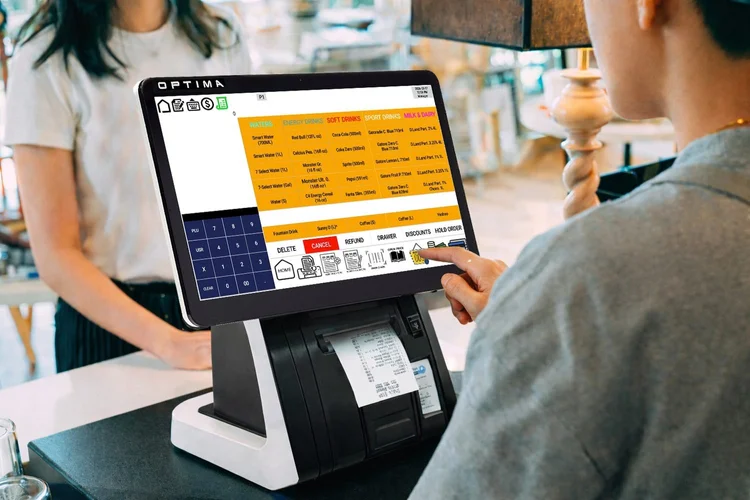
- Customer displayShows the running total as items scan
For multi-till stores, PCProg pushes price and product changes to every terminal at once from a back-office PC, rather than repeating the work on each till.
The till keeps working when the internet doesn't
Cloud-based POS systems depend on a live connection. When it drops, they slow down, fall back to a limited mode, or stop ringing sales.
GoPOS keeps your products, prices and transaction history in a local database on the terminal itself. An outage does not stop you serving customers. On terminals with battery backup, neither does a brief power cut.
For a store where a stopped till means a queue walking out the door, that difference is the whole argument.
Card payments still require connectivity — that's the processor's side, not the POS.
Scanners and scales that pair straight in
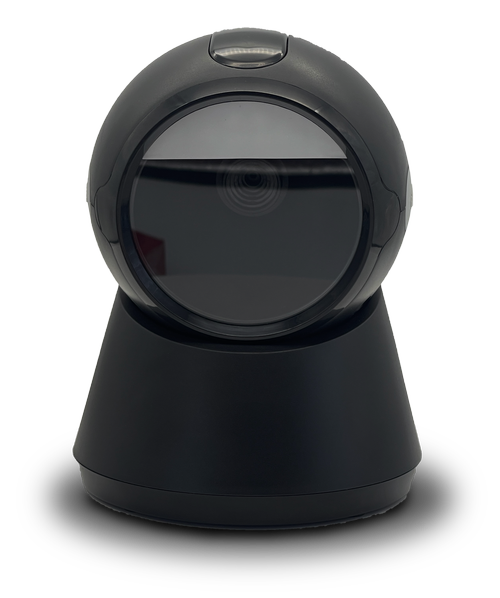
OPT-5000 Counter Scanner
Omnidirectional presentation scanner that sits on the counter and reads 1D and 2D codes, including barcodes shown on a phone screen. Hands-free scanning for a busy till.
View full specs →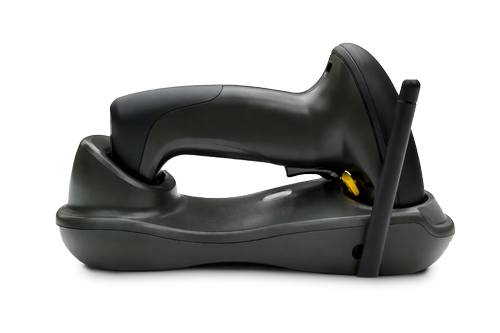
OPT-3500-CD Wireless Scanner
Cordless 2D handheld for shelf counts, bulky cases and anything that will not come to the counter. Sits in a cradle dock that charges it between uses, with range across the shop floor.
View full specs →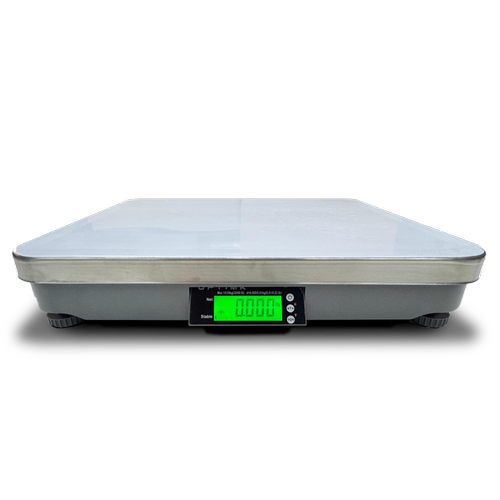
OPT-OS6X-30 Retail Scale
For produce, deli and anything sold by weight. Weighs straight into the sale in GoPOS, so the price lands on the receipt without anyone keying it in.
View full specs →Keep the payment processor you already have
Optima provides the POS system, not the payment processing. Through Datacap, the APOS Series connects to major Canadian and US processors — PAX, Global, Moneris, TD Bank, PayFacto and thousands of ISOs — using a separate PIN pad. Moving to Optima doesn't mean renegotiating your merchant rates.







Supported US Payment Gateways

Supported Canadian Payment Gateways
What it costs
Optima terminals are a one-time hardware purchase. No monthly software fee, no per-till licence, no subscription tier that unlocks features you already need. Software updates are included for the life of the terminal.
For a store running more than one till, that difference compounds — subscription systems typically charge per terminal, every month, indefinitely.
Pricing depends on model and configuration, and is quoted through your local authorized Optima representative.
Common questions
How much does a convenience store POS system cost?
Optima terminals are bought once rather than rented monthly. Subscription systems charge per terminal per month, so the gap widens the longer you run and the more tills you add.
Does it work with barcode scanners and scales?
Yes. It works with the Optima scanner range, and supports CAS, Brecknell and Datalogic scales for items sold by weight.
What happens if the internet goes down?
The till keeps working. Products, prices and transactions are stored locally on the terminal. Card payments still need a connection, because those run through your payment processor.
Can I run more than one till?
Yes. Terminals communicate over Wi-Fi, and PCProg pushes product and pricing updates to all of them at once from a back-office PC.
Is there a limit on how many products I can add?
No. Products, departments, tenders and keyboards are all unlimited.
Who installs and supports it?
Your local authorized Optima representative handles installation, setup and ongoing support.
Which terminal fits your store?
How many checkout points?
Every terminal holds its own copy of the data, so there's no single point of failure.
How do you serve customers?
This is what actually decides which terminal fits.
When are you looking to buy?
No wrong answer — it just tells us how quickly to get back to you.
Where are you located?
Optima sells through authorized representatives — this is how we find yours.
Please choose a country and enter your city.
Where should we send it?
We'll send your recommendation and connect you with your local representative.
Please fill in your name, email and phone number.
Your local authorized Optima representative will be in touch within one business day with pricing for your setup.
Already know what you need? Find your local Optima representative →
Running a restaurant, cafe or bar? See the restaurant POS page →